
Introduction
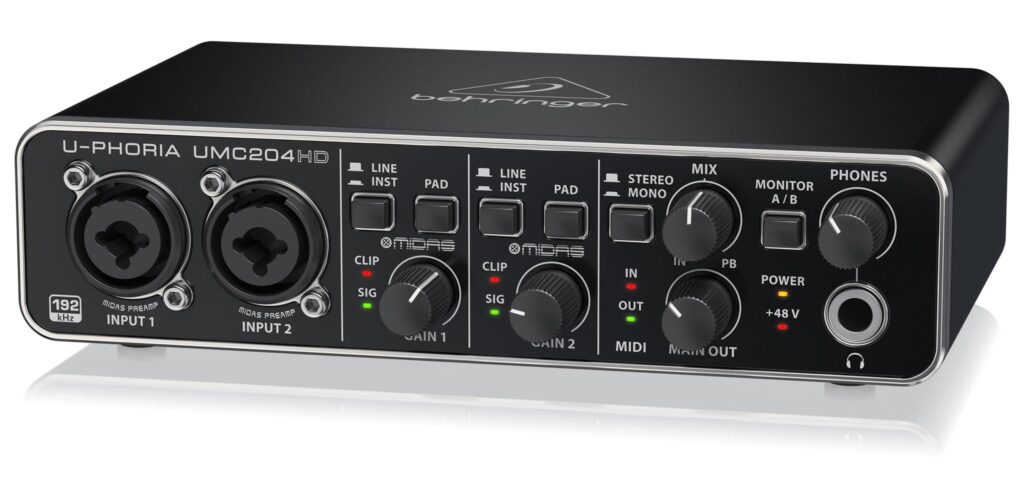
I recently purchased a Behringer UMC204HD USB audio interface and wanted to see how well it would work with FreeBSD.
My main goal was to use the interface for guitar recording, with the option of using applications such as Ardour and JACK. I was particularly interested in whether FreeBSD could recognize and use the interface without proprietary drivers.
This article documents my experience with FreeBSD 15.1-STABLE (amd64), including device detection, permissions, playback, recording, JACK, and Ardour.
Hardware and software
- Audio interface: Behringer UMC204HD
- Operating system: FreeBSD 15.1-STABLE (amd64)
- Recording software: Ardour 8.12.0
- Audio server: JACK using the OSS backend
The UMC204HD connects over USB. FreeBSD recognized it using its built-in USB audio support, so no vendor-specific driver was required for the audio functionality tested here.
Detecting the interface in FreeBSD
After connecting the interface, I checked the available audio devices:
cat /dev/sndstatFreeBSD detected the UMC204HD as pcm6:
Installed devices:
pcm0: <Realtek ALC255 (Analog 2.0+HP/2.0)> (play/rec) default
pcm1: <Realtek ALC255 (Analog)> (play/rec)
pcm2: <NVIDIA (0x0084) (HDMI/DP 8ch)> (play)
pcm3: <NVIDIA (0x0084) (HDMI/DP 8ch)> (play)
pcm4: <NVIDIA (0x0084) (HDMI/DP 8ch)> (play)
pcm5: <NVIDIA (0x0084) (HDMI/DP 8ch)> (play)
pcm6: <BEHRINGER UMC204HD 192k> (play/rec)Code language: HTML, XML (xml)
The device number may differ depending on the hardware and how many audio devices are connected.
I also confirmed that the USB device was recognized:
usbconfigThe output included:
ugen0.7: <UMC204HD 192k BEHRINGER International GmbH>Code language: HTML, XML (xml)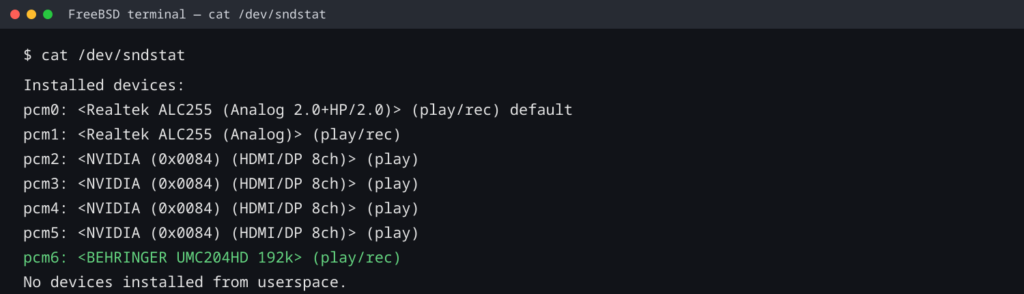
Configuring device permissions
The first problem I encountered was that the interface worked when audio applications were run as root, but not from my regular user account. FreeBSD could detect the interface, but my regular user did not have the necessary permissions to access the device nodes.
To fix this, I added the following rules to /etc/devfs.rules:
[localrules=10]
add 100 path 'input/event*' mode 0660 group wheel
add 200 path 'usb/*' mode 0660 group wheel
add 300 path 'usbconfig' mode 0660 group wheel
add 400 path 'ugen*' mode 0660 group wheel
add 500 path 'mixer*' mode 0660 group operatorCode language: JavaScript (javascript)
These rules give the specified groups read/write access to the corresponding device nodes. In this setup, the ugen* rule allowed members of wheel to access the USB device, while the mixer* rule allowed members of operator to access mixer device nodes.
After adding the rules, I restarted devfs:
service devfs restartThis resolved the access problem and allowed me to use the interface from my regular user account. These are the rules from my working configuration; group membership and the devfs ruleset should be checked on other FreeBSD installations before applying them.
Mixer controls and recording levels
One confusing aspect of this setup was the absence of conventional mixer devices. Running:
mixer -areturned:
mixer: no mixers present in the systemCode language: HTTP (http)This did not prevent the interface from recording or playing audio.
During troubleshooting, I also discovered that the recording input level was initially set to 0.25, which resulted in a very low recording signal. Setting the mic control to 1.00 restored the expected input level.
The PCM device number and available controls can vary, so check the settings for the relevant device rather than assuming the interface will always be pcm6.

Testing audio playback and recording
Before moving on to a DAW, I tested the interface’s output using SoX:
play -n synth 3 sine 440 gain -6I could hear the test tone through the interface, confirming that the playback path was working.
I also tested guitar recording directly through the OSS device:
sox -t oss /dev/dsp6 -r 48000 -b 16 -c 2 take.wavPressing Ctrl+C stops the recording. To extract the first input channel as a mono file:
sox take.wav mono.wav remix 1Code language: CSS (css)This confirmed that FreeBSD could capture audio from the UMC204HD.
Recording with JACK
For DAW use, I configured JACK with its OSS backend and started it with:
jackd -d oss -d /dev/dsp6 -r 48000 -p 1024 -n 2This starts JACK using the UMC204HD at 48 kHz, with a buffer size of 1024 frames and two periods.
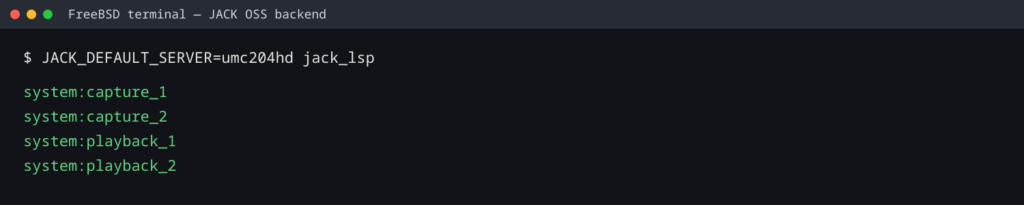
The available JACK ports can be checked with:
jack_lspThe interface exposed two capture ports:
system:capture_1
system:capture_2Code language: CSS (css)
These correspond to the two input channels on the interface.
Recording guitar with Ardour
I was able to get Ardour 8.12.0 working with JACK on FreeBSD. After starting JACK, I launched Ardour and selected JACK as its audio system.
For the guitar recording test, I:
- Created a new Ardour session.
- Added a mono audio track.
- Connected the track input to
system:capture_1. - Enabled the track’s record-arm button.
- Enabled Ardour’s global record button.
- Pressed Play to begin recording.
With the guitar connected to the first input, Ardour’s track meter responded to the incoming signal and I was able to record successfully.
Recording levels
I checked a recorded WAV file to verify that the signal was not clipping:
| Measurement | Left | Right |
|---|---|---|
| Peak level | -2.90 dBFS | -2.91 dBFS |
| RMS level | -14.55 dBFS | -14.55 dBFS |
| Clipped samples | 0 | 0 |
The two channels were closely matched, and no clipped samples were detected. The peaks were relatively high, so a little more input headroom could be useful for louder playing. The recording itself was clean.
Conclusion
The Behringer UMC204HD works with FreeBSD 15.1-STABLE for the audio functionality tested here.
FreeBSD detected the interface through its built-in USB audio support, and I was able to use it for playback and guitar recording. After addressing device permissions and the recording-level configuration, I also got JACK and Ardour working with the interface.
This was a useful result for my home-recording setup because I can use the same interface on both FreeBSD and Windows without relying on a proprietary driver for basic audio functionality. I have not yet tested the MIDI functionality or every feature of the interface, so those remain outside the scope of this article.